Know what has to happenbefore the day starts.
One screen for today, tomorrow and the next seven days: check-ins, checkouts, occupied properties and recent bookings, with flags for overdue inspections, service, permits, deposits and documents.
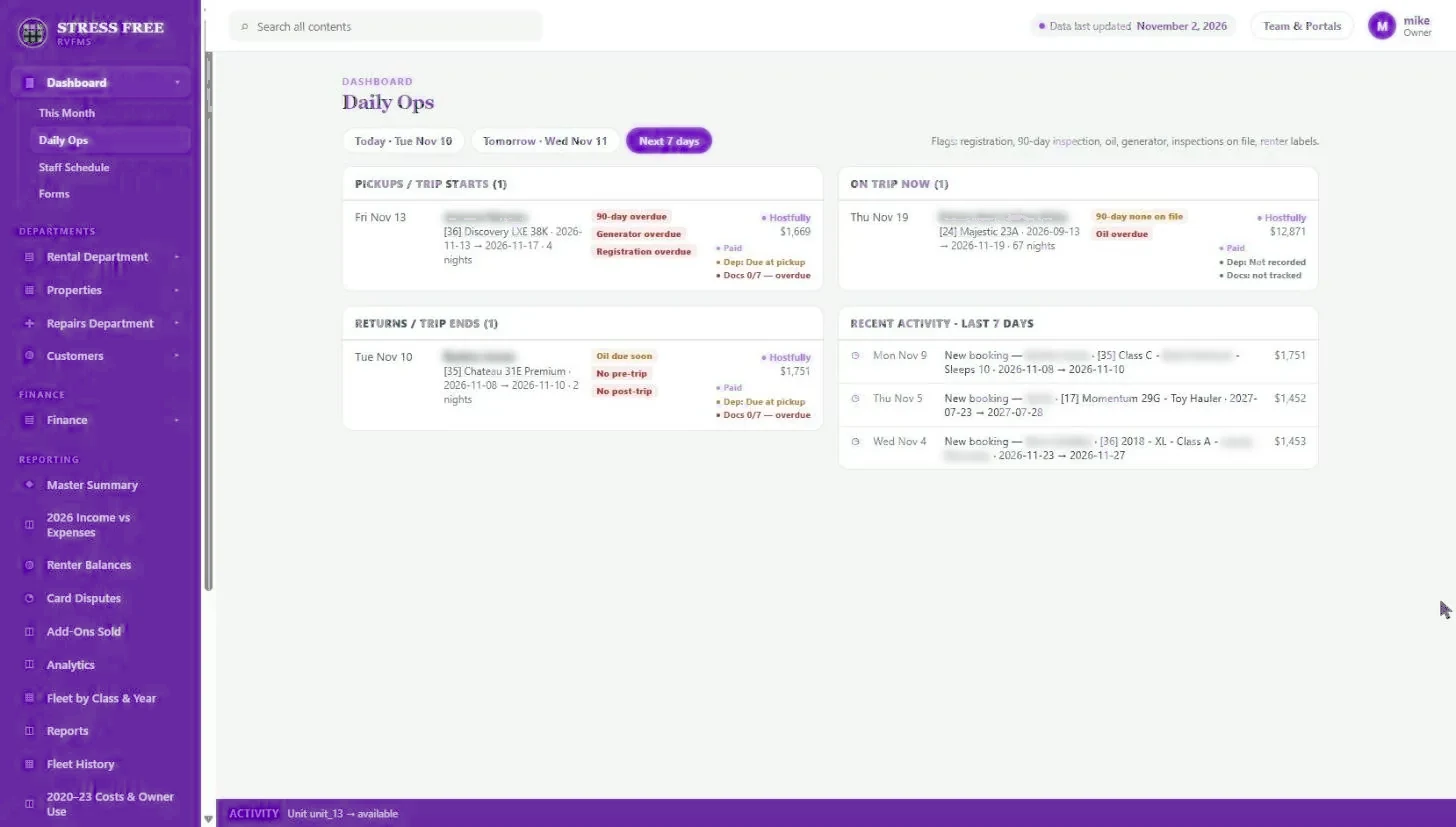
The morning starts by piecing the day together: who is picking up, who is returning, whether the property going out has a current inspection, whether the deposit is in and whether the paperwork is signed. Problems show up at the handoff, in front of the guest.
Daily Ops shows check-ins and checkouts, occupied properties and recent activity, for today, tomorrow or the next seven days. Each stay carries flags pulled from the property and booking records: inspections, service, permits, check-in and checkout inspections, deposit status and document completion.
Capabilities
- Today, tomorrow and next 7 days views
- Check-ins, checkouts, occupied properties and recent bookings side by side
- Flags for overdue inspections, service and permits
- Deposit and payment status on every stay
- Document checklist progress, such as 0 of 7 signed
What you get back
Fewer surprises at handoff
Overdue service and missing paperwork surface days ahead, not at the curb.
A shorter morning meeting
Everyone looks at the same screen instead of rebuilding the day from texts.
Compliance stays current
Permit and service due dates are checked against every stay automatically.
Daily ops board: FAQ
What gets flagged?
Permits, inspections, HVAC and safety service, missing check-in or checkout inspections, deposit status and unsigned documents.
Where do the flags come from?
From the property record and the booking. Update the service record or upload the document and the flag clears.
See it with your own portfolio.
We will walk through daily ops board using your properties, your channels and the way you already work.