Every reservation. Every property.One calendar.
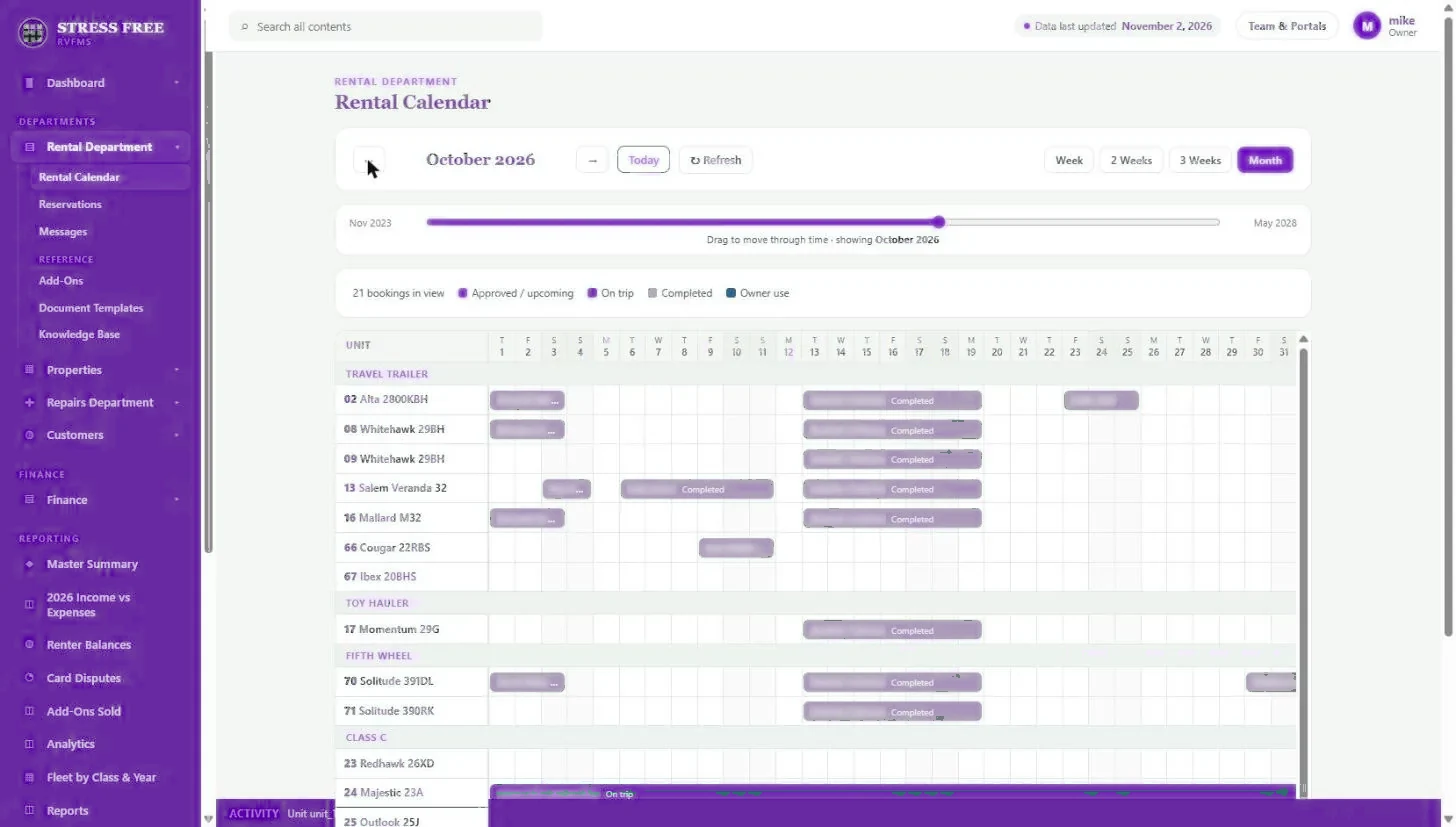
See every property and booking in one multi-property calendar, grouped by type, color-coded by status, with week to month views and a timeline that spans years.
Availability lives in three places: the booking platform, a shared Google Calendar and somebody’s memory. Two people quote the same property for the same weekend, an owner-use block never makes it onto the calendar, and you find out about the double booking when the second guest shows up.
STVRms puts every property on one board, grouped by type (house, condo, cabin, apartment), with every booking drawn as a bar across its dates. Approved, in-progress, completed and owner-use stays each get their own color, and the view switches between one week, two weeks, three weeks and a full month.
Capabilities
- Every property and every booking on one screen, grouped by class
- Status colors for approved, occupied, completed and owner use
- Week, 2-week, 3-week and month views
- A timeline slider to jump across years of history and future bookings
- Bookings from direct, marketplace and calendar-feed channels land in the same view
- Estimates, cancellations and blocked dates shown alongside bookings
- Drag and drop to move bookings, with quick pricing edits
- Job templates so every booking gets the right prep, cleaning and inspection work
What you get back
Fewer double bookings
One calendar is the only calendar, so what you quote is what is actually open.
Faster answers
Tell a caller what is available for their dates in seconds, by class.
Owner use stays visible
Owner blocks sit on the same board as paid stays, so nobody books over them.
Multi-property rental calendar: FAQ
Can I see more than one property at a time?
Yes. The rental calendar shows every property in your portfolio at once, grouped by class, with each booking drawn across its dates.
Does it show bookings from Airbnb-style marketplaces?
Bookings that come in through supported calendar feeds and imports show on the same calendar as your direct bookings. See Channel and calendar sync for how each channel connects.
Can owners block their own dates?
Owner-use stays are tracked as their own status and shown on the calendar so they are never booked over.
See it with your own portfolio.
We will walk through multi-property rental calendar using your properties, your channels and the way you already work.