The right accessfor every person.
Logins and roles for admins, managers, office staff, technicians, cleaners and vendors, plus owner and guest portals, a change log with undo, and sign-in by password or emailed link.
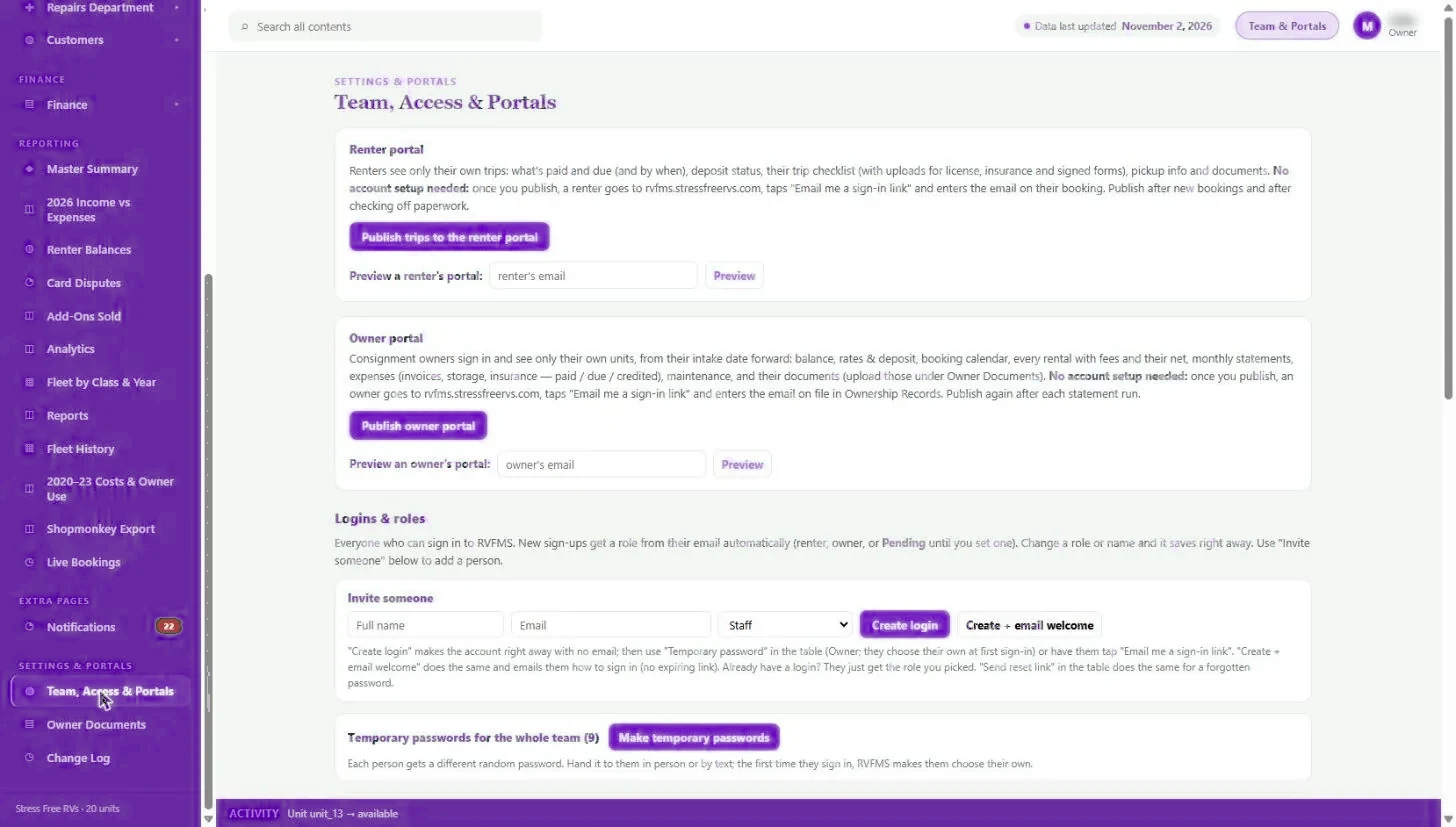
Everyone needs some of the information and nobody should see all of it. Cleaners need the turnover, not the owner split. Owners need their property, not the portfolio. Guests need their stay, not your calendar. Shared passwords and screenshots are the usual answer.
STVRms gives each person their own sign-in and a role that decides what they see: admin, manager, staff, office, technician, vendor and cleaner. Owners get a portal for their own properties: balance, rates, booking calendar, rentals with fees and net, statements, expenses, maintenance and documents. Guests get a portal for their own stay: what is paid and due, deposit status, checklist with uploads, check-in info and documents. A change log records edits by staff and managers, with undo.
Capabilities
- Roles and access levels for every kind of team member
- Owner portal limited to the owner’s own properties
- Guest portal limited to the guest’s own stays
- Sign-in by password or emailed link, no account setup for guests and owners
- Invite someone, set temporary passwords and send reset links
- Change log of staff and manager edits, with undo
What you get back
Less risk
People see what they need and nothing more.
Fewer calls
Owners and guests answer their own questions in their portal.
Mistakes reversed
The change log shows who changed what, and undoes it.
Team, roles and portals: FAQ
Do guests and owners need to create accounts?
No. Once you publish, they sign in with an emailed link using the email on file.
Can I see what staff changed?
Yes. The change log lists edits by staff and managers, newest first, with undo.
See it with your own portfolio.
We will walk through team, roles and portals using your properties, your channels and the way you already work.